Stop Emailing Photos to Yourself: Sync Lightroom Classic Collections to Your Phone in Minutes

Stop Emailing Photos to Yourself: Sync Lightroom Classic Collections to Your Phone in Minutes

Every photographer I know has a version of the same embarrassing habit. You finish editing a set of photos on your desktop, and then you either email them to yourself, drop them in a random Google Drive folder, or AirDrop them to your phone while standing awkwardly close to your own computer. I did this for longer than I want to admit. The whole time, the answer was sitting right inside Lightroom Classic, one right-click away.

The Lightroom Tricks I Wish I'd Known Before Wasting 500 Hours Editing the Hard Way

The Lightroom Tricks I Wish I'd Known Before Wasting 500 Hours Editing the Hard Way

Every editor has a turning point. Mine came embarrassingly late. I was two years into editing photos for a local music scene in Nashville, spending 45 minutes per image tweaking sliders I didn’t fully understand, when a photographer friend leaned over my shoulder and said, “Why are you doing it that way?” Turns out I had been fighting Lightroom’s architecture instead of working with it. That experience is exactly why I keep coming back to tutorials from creators who clearly live inside this software.

What Lightroom Presets Actually Do (And Why Most People Use Them Wrong)

What Lightroom Presets Actually Do (And Why Most People Use Them Wrong)

I named my first preset pack after a Wilco album. Not because it was clever branding, but because I made the whole thing in one weekend while “Yankee Hotel Foxtrot” played on repeat, and by Sunday night I couldn’t separate the two things in my memory. That pack got 50,000 downloads after I posted it for free in a Facebook group, which taught me two things: people are hungry for good presets, and almost nobody actually knows how to use them.

Browse, Mask, Retouch: Lightroom Mobile's Newest Features Make On-the-Go Editing Actually Good

Browse, Mask, Retouch: Lightroom Mobile's Newest Features Make On-the-Go Editing Actually Good

My phone has about 4,000 unedited photos on it. Not because I’m lazy, but because the import-edit-export pipeline on mobile has always felt like homework. By the time I’ve pulled the images into Lightroom, I’ve lost the momentum I had when I took the shot. That friction is a creativity killer, and it’s the reason I kept defaulting to desktop even for quick edits I genuinely could have handled on my phone.

Adobe's New AI Masking Is the Local Adjustment Upgrade I Didn't Know I Needed

Adobe's New AI Masking Is the Local Adjustment Upgrade I Didn't Know I Needed

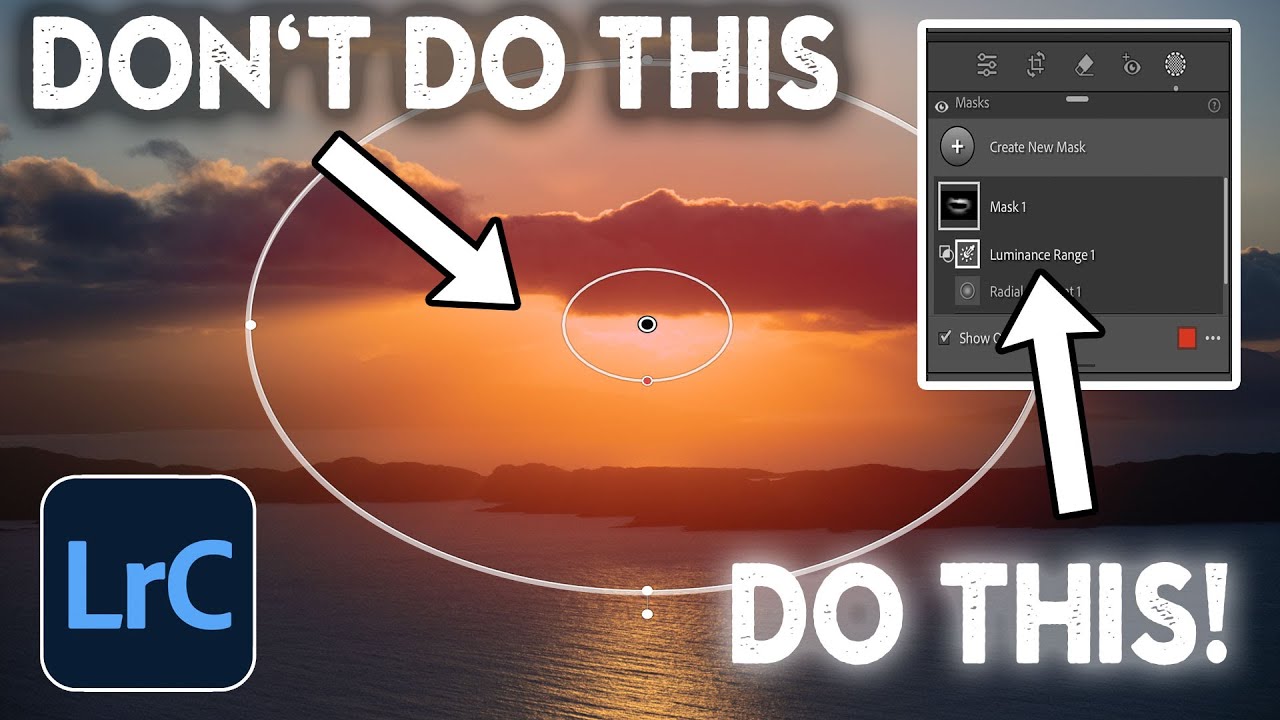
For years, my local adjustment workflow in Lightroom and Adobe Camera Raw felt like managing a cluttered desk. Pins scattered across the canvas, no clear visual reference for which adjustment was doing what, and a lot of hovering and guessing. I knew the tools were powerful, I just had to hold a lot of context in my head while using them. When Adobe rolled out their 2021 masking overhaul, I honestly didn’t expect it to change much.

Where Are All My Gigabytes Going? How to Hunt Down and Delete Bloated Lightroom Files

Where Are All My Gigabytes Going? How to Hunt Down and Delete Bloated Lightroom Files

My catalog is a crime scene. Not in an artistic way. I mean there are PSDs in there from 2015 that I abandoned mid-edit, TIFFs that got generated when I round-tripped a photo to Photoshop once and never looked at it again, and at least three different versions of the same bad HDR shot that I should have deleted the same night I made it. Sound familiar? This is one of those problems that sneaks up on you slowly, gigabyte by gigabyte, until suddenly your drive is nearly full and you have no idea why.

Fix White Balance Across an Entire Shoot in Seconds (The Tethered and Non-Tethered Way)

Fix White Balance Across an Entire Shoot in Seconds (The Tethered and Non-Tethered Way)

There is a specific kind of misery that comes from finishing a three-hour portrait session, loading 400 images into Lightroom, and realizing the white balance is wrong on every single one. I’ve been there more times than I want to admit. Early on, when I was editing press shots for my band because we genuinely couldn’t afford to hire someone, I used to fix white balance manually, image by image, like some kind of digital monk.

How to Edit Stadium Architecture Shots Using HDR Merge and Targeted Brushwork in Lightroom

How to Edit Stadium Architecture Shots Using HDR Merge and Targeted Brushwork in Lightroom

Shooting large interior spaces is one of those situations where a single exposure almost always fails you. The ceiling goes muddy, the sky through an open roof blows out, and the field sits somewhere in between looking like neither highlight nor shadow was handled correctly. It’s the kind of image that makes you feel like you did something wrong in camera, when really the problem is just dynamic range. Your sensor physically cannot capture it all in one shot.

RIP to the Done Button: What Lightroom Actually Wants You to Do Instead

RIP to the Done Button: What Lightroom Actually Wants You to Do Instead

Every time Adobe quietly removes something from Lightroom Classic, my inbox fills up like a rain barrel in a Nashville thunderstorm. The Done button is the latest casualty, and honestly, I get it. When something you’ve clicked a thousand times just vanishes, it feels like Adobe rearranged your kitchen while you were sleeping. But after watching this Matt Kloskowski tutorial on exactly that topic, I walked away thinking less about the button itself and more about how many of us were doing things the hard way without even realizing it.

The Art of Restraint: Why Minimal Editing Might Be Your Most Powerful Skill

The Art of Restraint: Why Minimal Editing Might Be Your Most Powerful Skill

The Case for Less I’ve been thinking a lot lately about the paradox of modern photo editing. We have more tools than ever before—sliders upon sliders, presets galore, AI-powered adjustments that feel like magic. Yet some of the most compelling images I encounter are barely touched. There’s something genuinely refreshing about a photograph that knows when to stop. This month, I’ve been observing a growing conversation in the photography community about what “minimally edited” actually means.

Stop Making Presets. Start Making Profiles: A Practical Guide to Building Your Own LUTs in Photoshop and Lightroom

Stop Making Presets. Start Making Profiles: A Practical Guide to Building Your Own LUTs in Photoshop and Lightroom

Every preset pack I’ve ever built started the same way: me fiddling with HSL sliders in Lightroom, convincing myself I could get exactly the tone I wanted if I just pushed the Aqua Luminance a little further. Sometimes it worked. Usually it didn’t. The controls in Lightroom are powerful, but they’re also a ceiling, and for years I bumped my head against that ceiling without realizing there was a door in it.

Build a Photography Calendar in Lightroom's Print Module (And Actually Use Your Best Shots)

Build a Photography Calendar in Lightroom's Print Module (And Actually Use Your Best Shots)

Every December I end up with the same problem. I have a folder full of my favorite shots from the year, a vague intention to do something meaningful with them, and then somehow a generic wall calendar from a gas station ends up in my kitchen anyway. Sound familiar? This year I finally did something about it, and the fix came from a surprisingly underused corner of Lightroom. In this Matt Kloskowski tutorial, he walks through how to use Lightroom’s Print Module to combine a free calendar template JPEG with your own photography into a shareable, printable image.